PETERBOROUGH ESCAPES
Joining events
A guide for your phone · Page 2 of 5

STEP 4 Join an event
- Sign in. Tap Menu, then Events. Open an event and check the date, time, meeting place and cost.
- Tap Sign me up at the bottom of the screen.
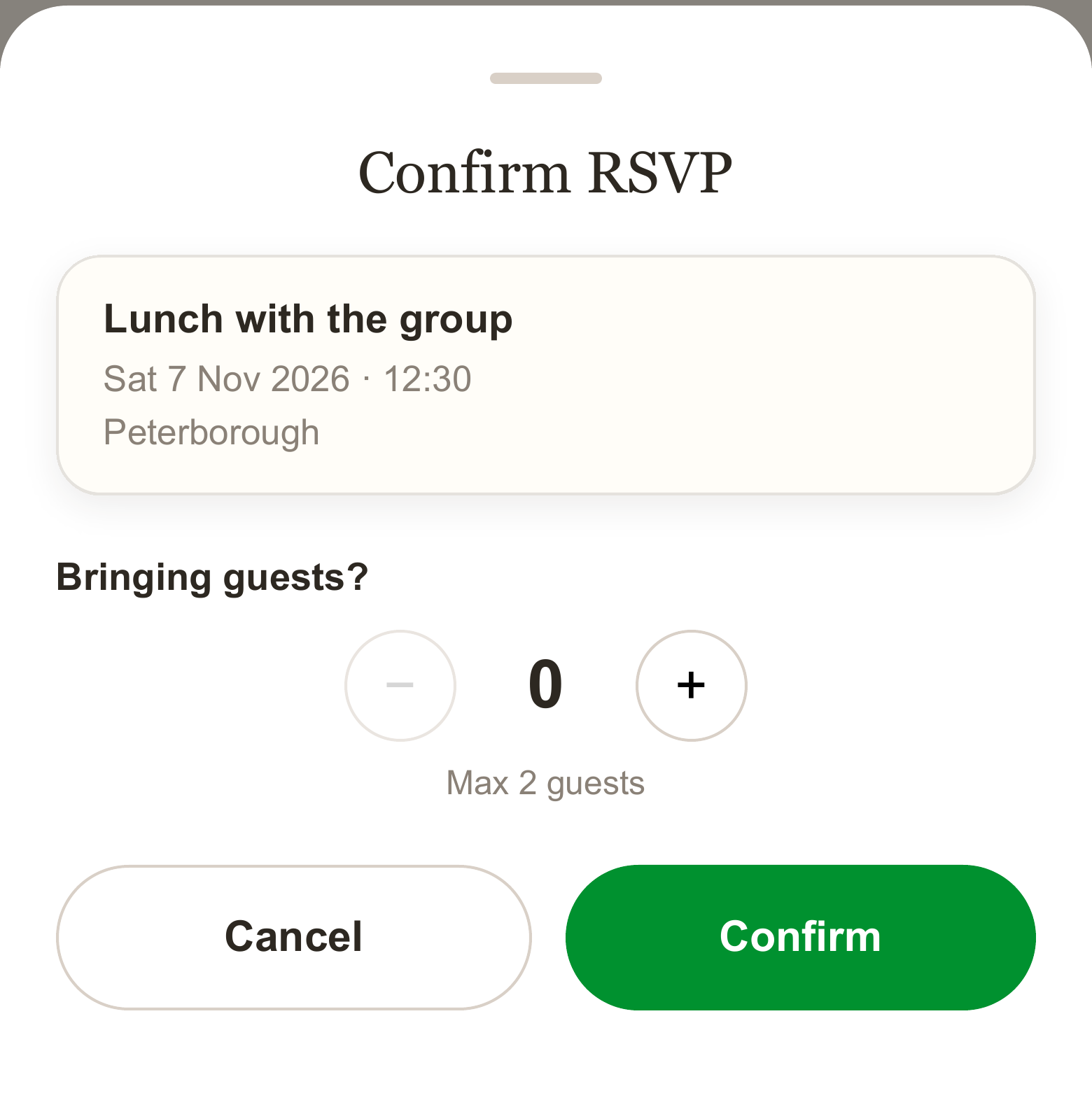
- In Confirm RSVP (confirm your place), check the event. If guests are allowed, set their number using + or −. Leave 0 if coming alone.
- Tap Confirm. When You're confirmed appears, tap Close or Add to calendar. Complete any event tasks below.
Event full? Tap Join the waitlist and confirm. You are waiting for a place. If asked, wait for account approval or renew your subscription first (Step 6).
Cannot attend? Open the event, tap Cancel, then Cancel attendance. This also cancels your guests.
STEP 5 Complete event tasks
Open an event you have joined. Tap Tasks at the bottom of the screen. This button appears when the event has tasks. Scroll through Your tasks and complete each item marked REQUIRED.
Choose an answer
Tap one option, such as your meal choice. It turns green. Tap another to change it; tap the same option again to clear it.
Write an answer
Tap Add a note… and type the information requested, such as dietary needs or guest details.
Save your answers: tap Save after making your choices and writing any notes. Reopen Tasks to check they saved. Cancel discards unsaved changes.
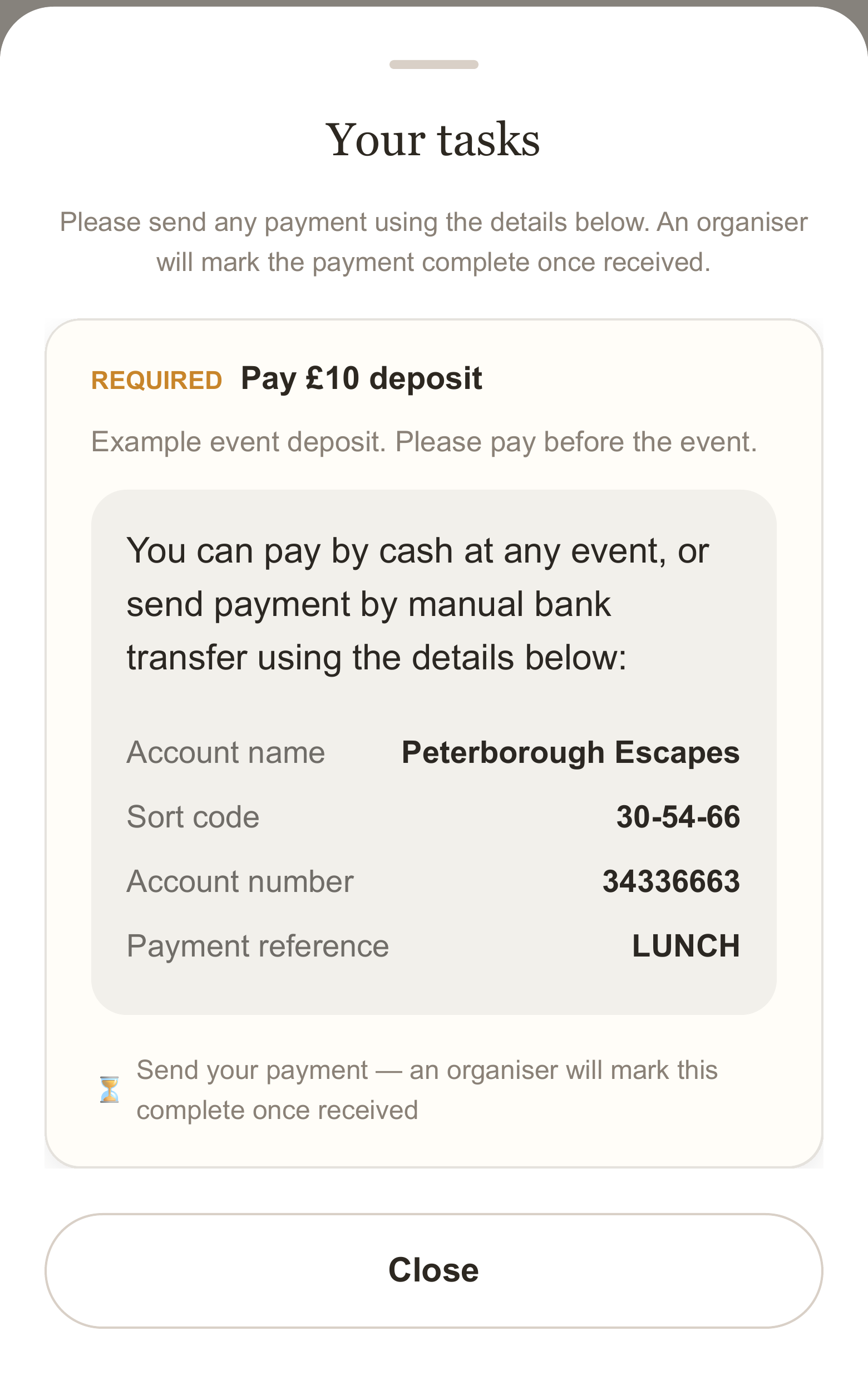
Make a payment
Read the amount and instructions. Pay cash to an organiser, or use your banking app with the bank details and Payment reference shown in the task. Use the details on your phone, not this example picture.
An organiser marks the payment as complete when received. If there are only payment tasks, tap Close when finished; there is no Save button.
Changing an answer: you can edit and save it until it says Confirmed by organiser. After that, contact an organiser. Event payments are separate from your membership subscription.